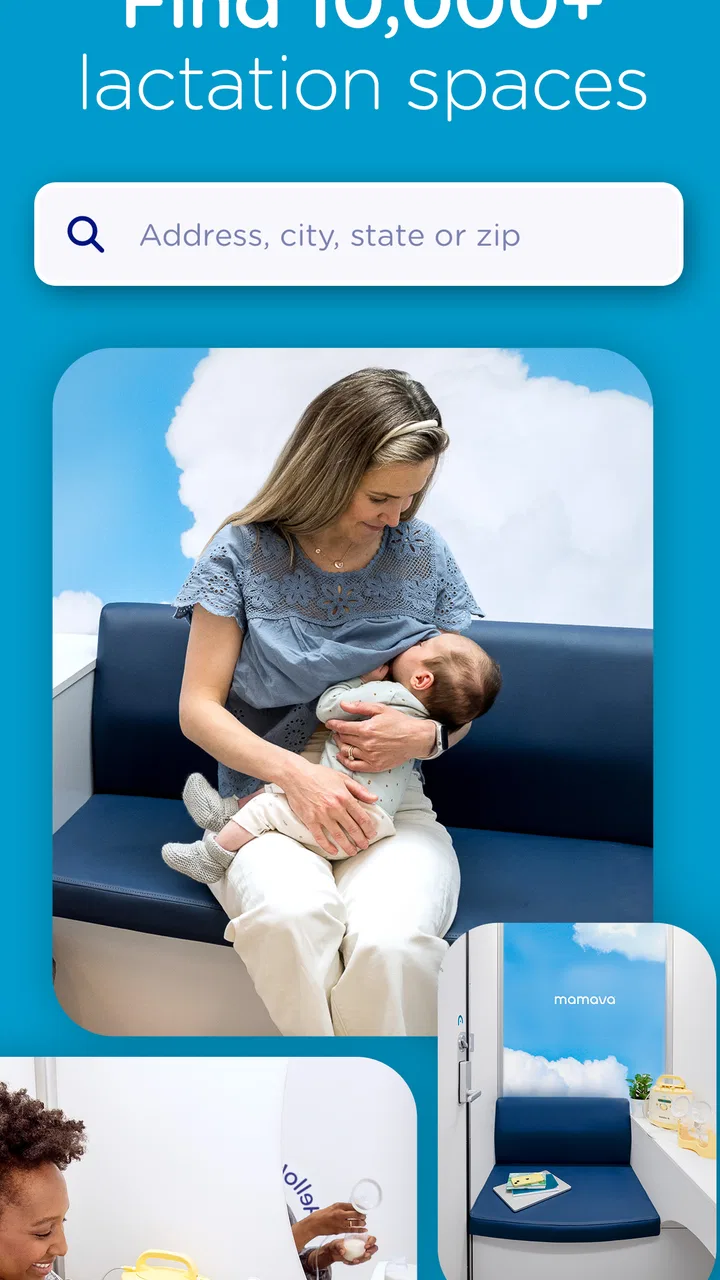
Mamava - Breastfeed on the Go
- 4.0
- Rating
- 100.00K
- Installs
- Free
- Price

 Analysis by App-foxy
When feeding a baby away from home, the difficult part is often not the feeding itself. It is finding a place that feels suitable, private, and available before the baby becomes impatient. I tested Mamava - Breastfeed on the Go with that practical problem in mind, and I found its value is very specific: it is a parenting app built around discovering lactation spaces, sharing support, and making public outings a little easier to plan.
The app is free, aimed at Everyone, and developed by Mamava, Inc. It has reached over one hundred thousand installs and holds a 4.1 average from roughly three hundred ratings, with more than one hundred reviews. Those figures suggest a useful but focused service rather than an all-purpose parenting platform. I would not install it expecting feeding schedules, sleep tracking, medical advice, or a complete family organizer. Its strength is helping parents think ahead about where feeding may be possible.
Using it when a shared household needs a practical plan
The most convincing way to use the app is before leaving home, not after arriving at a crowded shopping area. If I were taking a baby on a long errand, I would open it while planning the route, look for lactation spaces near the destination, and keep a second possibility in mind. That small amount of preparation matters because a location that looks convenient on a map may not fit the timing, privacy needs, or comfort level of the parent who will actually use it.
You May Also Like

 Blood Strike: 2.5 Anniversary
Blood Strike’s Loadouts Turn Every Drop Into a Tactical Gamble
A close look at Blood Strike’s custom loadouts: how fast access to signature weapons reshapes its battle royale rhythm, rewards preparation, and narrows the gap between fights.

 Pandora - Music & Podcasts
Pandora’s Music Is Easy to Start, but Harder to Recover
Pandora’s strength is its low-effort path from a seed to a station. Its weak spot is how much confidence it asks you to place in connection, setup, and quiet recovery.

 8 Ball Pool
 Is Built on Rivalries, Rematches, and Routine
A close look at the rivalries, rematches, shared routines, and unanswered safety questions that turn a quick pool match into a persistent mobile community.

 Samsung Music
’s Quiet Strength Is Playing What You Already Own
Its reach comes less from spectacle than from dependable access to a personal library. That simplicity is both the app’s strongest retention engine and its ceiling.

 AccuWeather: Weather Radar
AccuWeather Review: A Quick, Clear Forecast for Everyday Decisions
For everyday plans, the best forecast is the one you can understand quickly. AccuWeather makes rain timing, radar, and local conditions easy to act on, with a few trade-offs.

 Hill Climb Racing
Why Hill Climb Racing Still Turns Crashes Into One More Run
A tiny car, a bumpy hill and one more upgrade: Hill Climb Racing keeps resurfacing because its simple chaos makes every near-miss feel personal.
More From Our News Desk



This is also where the app makes sense on a shared device. One adult might search for a suitable place before the trip, while another checks the information again when the outing begins. The app can support that handoff because the useful information is about places and community support, not about building a detailed personal profile for every member of the household. I would still avoid treating a shared phone as a private diary. Search activity and any account-related actions should be handled with the same care I would use for other family apps.
A realistic example is a family spending an afternoon in an unfamiliar town. The baby needs to feed sooner than expected, and the adults are deciding whether to continue shopping or change plans. Instead of searching randomly through a general map service, they can use this app to focus on the type of location they need. That narrower search saves mental effort at exactly the moment when everyone is already distracted.
My main tip is to plan for flexibility rather than assuming the first result will solve everything. A lactation space may be close but inconvenient to reach with a stroller, or it may not match the parent’s preferred level of privacy. I would identify a primary option and a backup before leaving, then confirm the route and surroundings using the other navigation tools already on the phone. The app is most helpful as a discovery and coordination layer, not as a complete travel guarantee.
What the first setup tells you about boundaries
The setup experience should be approached with a clear idea of what the app is for. This is not an app I would hand to a child and expect them to manage independently. Although its content rating is Everyone, its purpose belongs mainly to parents, caregivers, and adults supporting someone who is breastfeeding. The age label describes suitability of the app’s content; it does not turn the product into a children’s app.
That distinction is important in a household with a shared tablet or phone. A teenager may use the device to help locate a place for a younger sibling, but an adult should remain responsible for interpreting location details and deciding whether a space is appropriate. I would also keep the app’s role separate from medical decisions. It can help with finding a place and connecting with support, but feeding concerns that involve health, pain, supply, or a baby’s wellbeing belong with a qualified professional.
I like this boundary because it prevents the app from being asked to do too much. Parenting software often becomes cluttered with tracking, reminders, articles, and social features. Here, the practical purpose is easier to understand. The trade-off is that parents looking for a single dashboard for feeding records and daily routines will need another tool. That is not a flaw in the narrow mission, but it does affect whether the app deserves a permanent place on your phone.
For a shared household, I would establish a simple routine: the adult who searches also tells the other caregiver what was found, where it is, and why it seems suitable. I would not assume that opening the same app on another device automatically creates a shared family workspace. Without inventing a collaboration system that may not exist, the safest approach is ordinary communication between adults.
Turning a location search into useful coordination
The app becomes more valuable when it is used as part of a small outing workflow. First, I would search around the destination rather than only around the current position. Second, I would compare the result with the planned route. Third, I would tell the other caregiver the intended stop and backup. This takes less time than trying to solve the problem while carrying bags, managing a stroller, and calming a hungry baby.
That workflow also exposes one of the app’s limitations. A location finder cannot remove uncertainty from real life. Opening hours, access arrangements, construction, crowd levels, or the condition of a space can change. I would therefore treat a result as a lead to investigate, not as a promise. If the outing is important or time-sensitive, a quick check through the venue’s own information or a phone call may still be sensible.
The community angle adds another layer. Mamava’s app is not only about finding spaces; it also gives users a way to get and give support. In practice, that means the app can feel more useful when parents contribute thoughtfully instead of treating it as a one-way directory. If I found a location easy to use, I would want to share helpful context for the next parent. If something was confusing, I would describe the problem clearly rather than leaving an emotional or vague complaint.
That kind of participation has a trade-off. Community information can be more practical than a generic map result because it comes from people thinking about the same need. At the same time, user-contributed guidance should be read with judgment. I would pay attention to whether a comment describes a specific situation, and I would avoid assuming that one family’s experience will match another’s. A parent with a newborn may have very different requirements from a parent traveling with an older baby.
One non-obvious advantage is that the app can help a non-breastfeeding partner become more useful. The partner may not know what makes a location comfortable or appropriate, but can take responsibility for searching, checking the route, and preparing a backup. That turns the app from a private tool used only by the breastfeeding parent into a practical coordination aid for the whole household.
Trust, privacy, and the age context
Because the app concerns feeding and location, trust matters more than a simple download decision. I would use it with the understanding that location information is sensitive in a family context. On a shared device, I would be careful about leaving searches visible if another person’s privacy matters. I would also avoid entering personal details unless they are genuinely needed for the action I want to take.
The Everyone rating makes the app approachable, but I would explain its purpose to younger household members rather than letting them browse without context. A child can understand that the app helps find places where a parent or baby may need to stop, yet the adult should decide which location to use. This is especially relevant when an app includes community interaction: age suitability does not replace family guidance about sharing information or communicating with strangers.
I also appreciate that the app’s subject is treated as an ordinary practical need rather than something that has to be hidden. Still, comfort levels differ. Some parents will want a dedicated lactation space, while others will be happy feeding wherever local rules and personal comfort allow. The app is a better fit for the first group, or for anyone who wants more options when traveling. It is less essential for someone who already knows reliable places in their neighborhood and rarely goes elsewhere.
Another point worth keeping in mind is that the app should not be used to judge a parent’s choices. A location search is a convenience, not a measure of whether someone is feeding correctly or planning well. In my view, the best use is supportive and low-pressure: find an option, keep a backup, and move on with the day. If the app’s community side ever feels more social than useful, I would simply return to the location-finding function.
Where it fits beside ordinary alternatives
A general map app is the obvious alternative, and it may be enough for a quick search near a familiar destination. General maps are usually better for turn-by-turn navigation, business details, and broad place discovery. Mamava’s app has a more focused purpose, so I would use the two together rather than forcing one to replace the other. The dedicated app helps narrow the question to lactation spaces; the map app helps me understand the wider route and surroundings.
Parenting trackers are another alternative, but they solve a different problem. A tracker can help record feeds, pumping, sleep, or routines, while this app helps with the physical environment outside the home. If the main frustration is remembering when a baby last fed, this is not the right tool. If the frustration is finding a suitable place during an outing, a tracker will not address it.
Local parenting groups and social networks can provide personal recommendations, sometimes with richer conversation. Their weakness is that useful information may be buried in posts, difficult to search, or tied to a particular neighborhood. This app is more direct for the initial discovery step. I would still use local knowledge when the decision depends on details that a simple listing cannot capture.
The app’s focused design is therefore both its best quality and its clearest limitation. It avoids becoming a noisy general parenting suite, but it cannot replace navigation, medical guidance, or a household calendar. I would recommend it as a companion app for parents who travel, move around a city, or want a dedicated way to think about lactation spaces. I would skip it if I already have dependable local arrangements and do not expect that to change.
Version, access, and everyday practicality
The current version is 9.54.0, and the app supports devices running Android 7.0 or later. That makes it accessible on many older Android phones, which is useful for a household that passes a previous phone to a caregiver. Before relying on it during a trip, I would still open it at home and become familiar with the search process. A few minutes of preparation is preferable to learning the interface while dealing with a tired baby.
There is no purchase barrier because the app is free. That makes it easy to try without committing household money, and it also makes sense for occasional users who only need help while traveling. Free access does not change my advice about expectations: the app’s usefulness depends on whether it covers the places you visit and whether the available information suits your needs.
I would also keep a fallback plan outside the app. Save the destination, know where you can sit comfortably if the preferred space is not workable, and make sure the other caregiver understands the plan. This is not a criticism unique to the product; it is simply the reality of using any location-based service for a time-sensitive parenting need.
My household verdict after using it
I see Mamava - Breastfeed on the Go as a focused, sensible addition to a parent’s travel toolkit. Its strongest use is not constant daily engagement. It is the moment before an outing, when a caregiver wants to reduce uncertainty and give the breastfeeding parent a better chance of finding a suitable place without a stressful search.
I would recommend it to breastfeeding parents who visit unfamiliar areas, to partners who want to share the planning work, and to relatives who occasionally care for a baby away from home. I would also recommend using its support and community elements thoughtfully: contribute useful observations, but verify important details and protect personal information on shared devices.
I would not choose it as a replacement for a feeding tracker, a navigation app, a family calendar, or professional health advice. It is also not especially necessary for a household that stays close to known locations. But for the right situation, its narrow focus is exactly what makes it worthwhile. The practical win is having a considered option before the baby needs one, rather than trying to improvise under pressure.
Overall, I would keep it available on a family phone if breastfeeding away from home is a regular concern. The free access, approachable age rating, and focused purpose make it easy to test, while the need for backup planning keeps expectations realistic. For me, it works best as a quiet coordination tool: one adult searches, another helps plan, and the family gets a little more confidence during everyday trips.
FAQs for Mamava - Breastfeed on the Go
01What is Mamava, and how does it work?
Mamava is an app designed to help breastfeeding mothers find clean, safe, and private locations to breastfeed or pump while on the go. It provides a searchable map of lactation spaces, including Mamava pods and other breastfeeding-friendly places, empowering moms to feed their babies comfortably anywhere.
02Is Mamava available for both Android and iOS devices?
Yes, Mamava is available for download on both Android and iOS platforms. You can find it on the Google Play Store for Android devices and the Apple App Store for iOS devices, ensuring accessibility for a wide range of users.
03Are there any costs associated with using Mamava?
The Mamava app is free to download and use. While some lactation spaces may have associated fees, the app itself does not charge users for accessing its database of breastfeeding locations, making it an economical choice for nursing mothers on the go.
04How does Mamava ensure the privacy and cleanliness of the lactation spaces listed on the app?
Mamava partners with various businesses and facilities to provide verified, clean, and private spaces for breastfeeding. Users can also read and leave reviews on the app, helping maintain high standards of cleanliness and privacy across listed locations.
05Can I contribute to the Mamava community by adding new lactation spaces?
Yes, users can suggest new lactation spaces by submitting details within the app. This community-driven feature allows mothers to contribute to an ever-growing database, ensuring more moms can find convenient breastfeeding locations no matter where they are.
Pros
- User-friendly interface
- easy navigation.
- Locator for breastfeeding-friendly locations.
- Includes a timer and tracking for sessions.
- Customizable reminders for pumping schedules.
- Offline access to downloaded resources.
Cons
- Limited locations in rural areas.
- Requires internet for initial setup.
- Ads may disrupt user experience.
- No dark mode for low light use.
- Limited language support available.

Mamava - Breastfeed on the Go
Gallery